How to setup a cPanel nodejs module project with Reactrouter 7
In this post I will show you how I have find to setup a Reactrouter 7 project
Setup Node.js APP
Before you setup a Node.js module you have to create a sub domain.
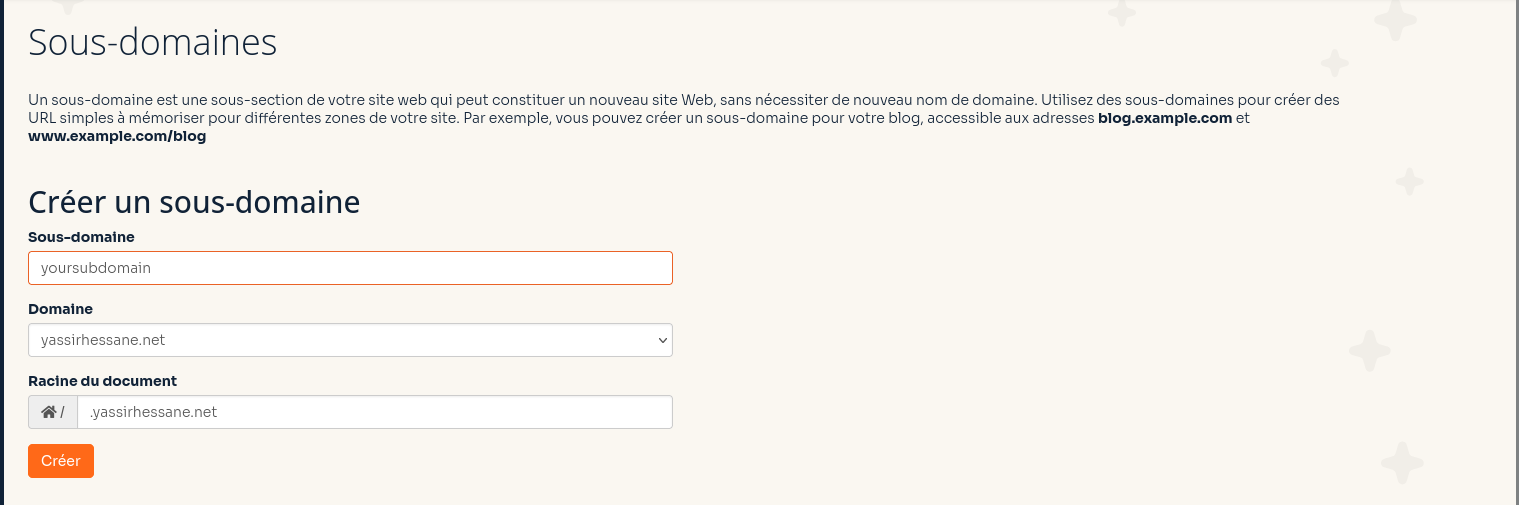
Sub domain created
By default the folder name is : yoursubdomain.yassirhessane.net
Set the folder name
In my case the folder name is : yoursubdomain_html
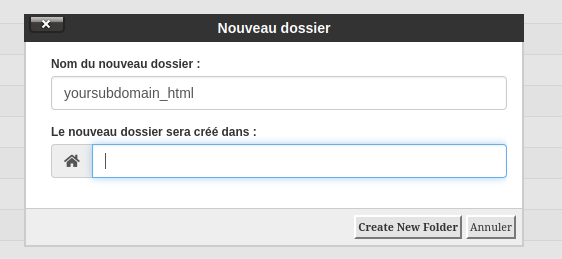
Now we have to, set the subdomain folder by which we have created before : yoursubdomain_html
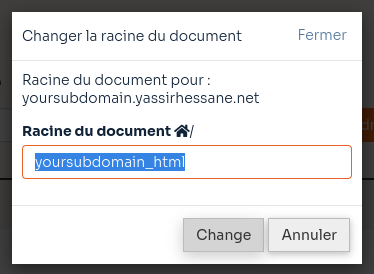
Here is the result of our subdomain panel after the chages
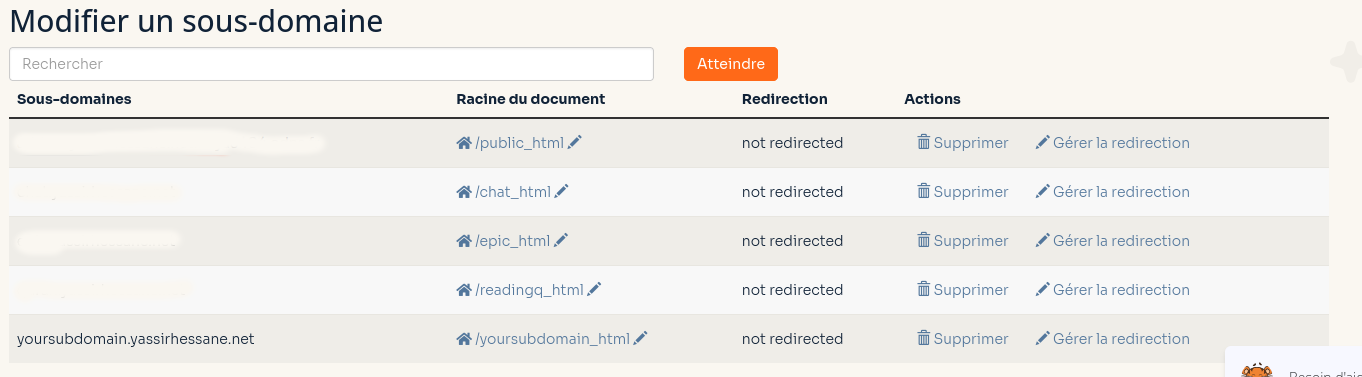
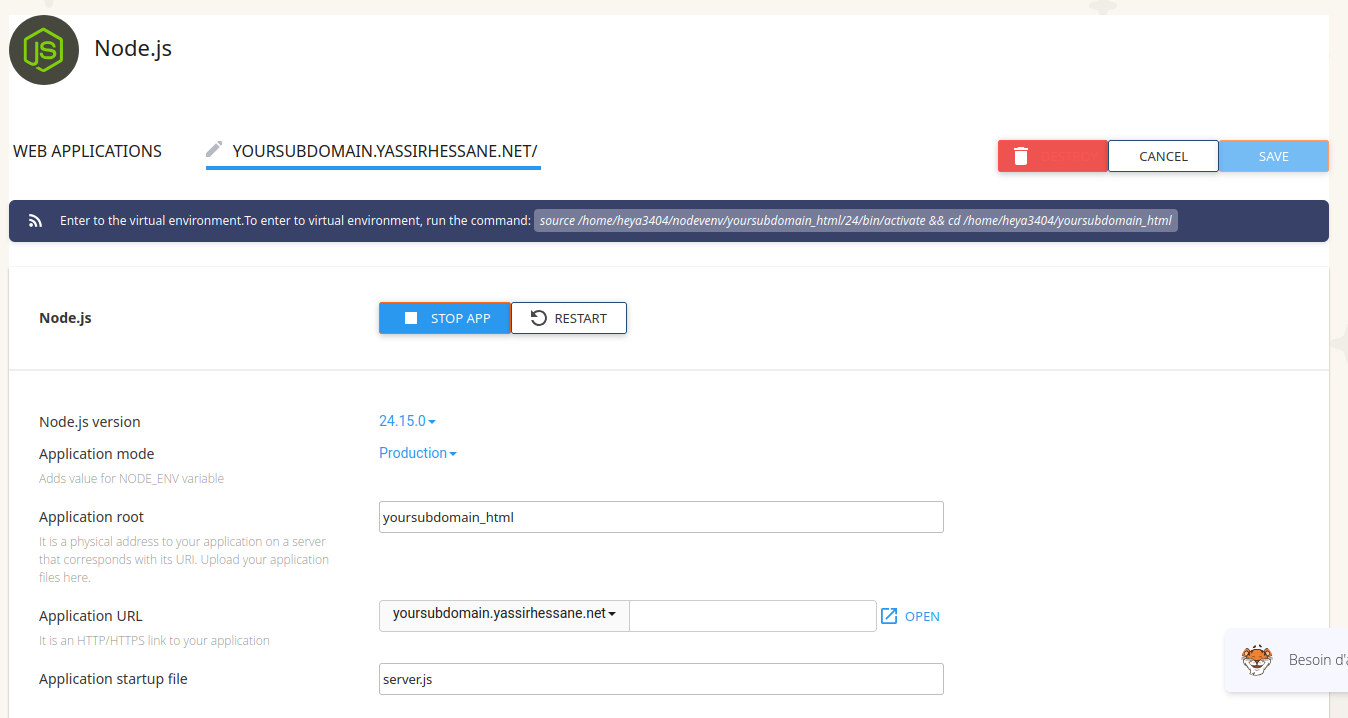
Now we can create a Node.js module
Here is the changes we want to setup a Node.js project.
Is mandatory to set to the last version of Node.js and setup to production mode
Application startup file : app.js
Now we can connect throuht SSH to the cPanel.
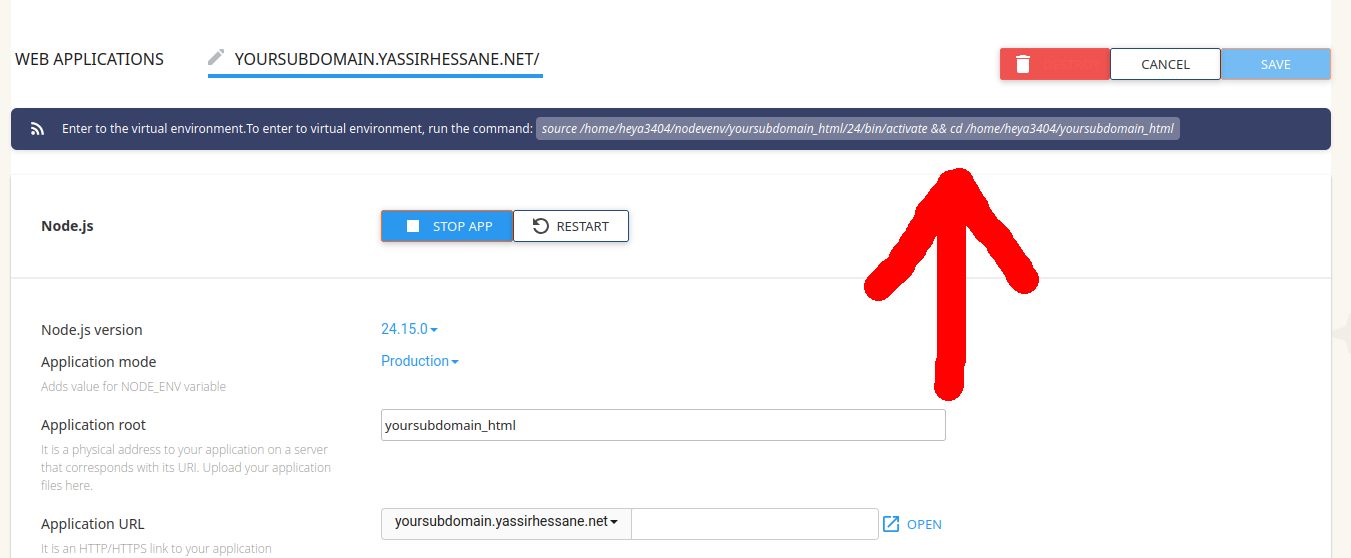
the first command to enter is, the Node.js symlink throught our SSH session
source /home/heya3404/nodevenv/yoursubdomain_html/24/bin/activate && cd /home/heya3404/yoursubdomain_html
Which you can find on :
Now we can clone the nodejs project from this repository : https://github.com/remix-run/react-router-templates and run :
npx create-react-router@latest --template remix-run/react-router-templates/node-custom-server
Then we have to update one file the : server.js
import compression from "compression"; import express from "express"; import morgan from "morgan"; // Short-circuit the type-checking of the built output. const BUILD_PATH = "./build/server/index.js"; const DEVELOPMENT = process.env.NODE_ENV === "development"; const PORT = Number.parseInt(process.env.PORT || "3000"); const app = express(); app.use(compression()); app.disable("x-powered-by"); async function startServer() { if (DEVELOPMENT) { console.log("Starting development server"); const viteDevServer = await import("vite").then((vite) => vite.createServer({ server: { middlewareMode: true }, }), ); app.use(viteDevServer.middlewares); app.use(async (req, res, next) => { try { const source = await viteDevServer.ssrLoadModule("./server/app.ts"); return await source.app(req, res, next); } catch (error) { if (typeof error === "object" && error instanceof Error) { viteDevServer.ssrFixStacktrace(error); } next(error); } }); } else { console.log("Starting production server"); app.use( "/assets", express.static("build/client/assets", { immutable: true, maxAge: "1y" }), ); app.use(morgan("tiny")); app.use(express.static("build/client", { maxAge: "1h" })); app.use(await import(BUILD_PATH).then((mod) => mod.app)); } app.listen(PORT, () => { console.log(`Server is running on http://localhost:${PORT}`); }); } startServer().catch((error) => { console.error("Failed to start the server:", error); });
Make sure that you have your own file : .htaccess, generated when you such create the nodejs module for your subdomain.
Now run those two command :
npm i --include=dev
npm run build
Restart your nodejs module, then it should work even you use, shared hosting like : (cPanel, OVH mutualisé, etc.)
You have to get the updated file server.js before you build the project
Summary :
Set server.js file, from the react router 7 nodejs template.
- When we have created the Reactrouter 7 Project.
- We have a server.js file
- We have to the server.js file into our nodejs module panel (and make small changes)
- https://github.com/LittleWizard0083/epic_html/blob/master/server.js
« We plan as developer to master our tools, and spliting issues to smal pieces, and not to break the way (into mutliple) do we write code »

Yassir Hessane
Digital Native