
How to fix types issue on workflow project with Reactrouter 7
In this post I will show you how do we fix types issue on your workflow with ReactRouter 7 project
Error occurence on your code editor
Before do we fix types issue, let see what happen’s in our code editor (vscode).

A short clarification about types
first at the bootstrap of React Router 7 setup. The installation set a node_module folder.
After that if you wondering to add files in the routes folder, like home.tsx,
you have to set for each file added in the routes folder,
your routes.ts file, like this :
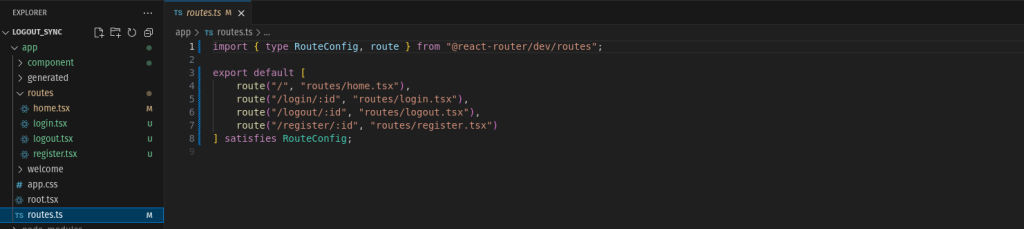
In my case we saw that I have .tsx files in the routes folder,
and the routes.ts file are accordingly setup for each routes (.tsx file )
Then in your case, for each created route in routes.ts you have your .tsx file in your routes folder
We see that no folder is generated as well, and if it is we have to delete the file and folders :
- package-lock.json ( file )
- node_modules ( folder )
- .react-router ( folder )
Commands run
Now when we clear the path, we now run :
- npm install
- npm run typecheck or ( react-router typegen )

Now we see that our folders ( node_modules and .react-router ) and file (package-lock.json) has being generated and we have now the folders:
- node_modules
- .react-router
and file :
- package-lock.json
This solve our issue of types in our routes folder and routes.ts
« The more we do, the less we break. »

Yassir Hessane
Digital Native